Step 2 · Staff
My requests
Everything you have sent, and where each one stands.
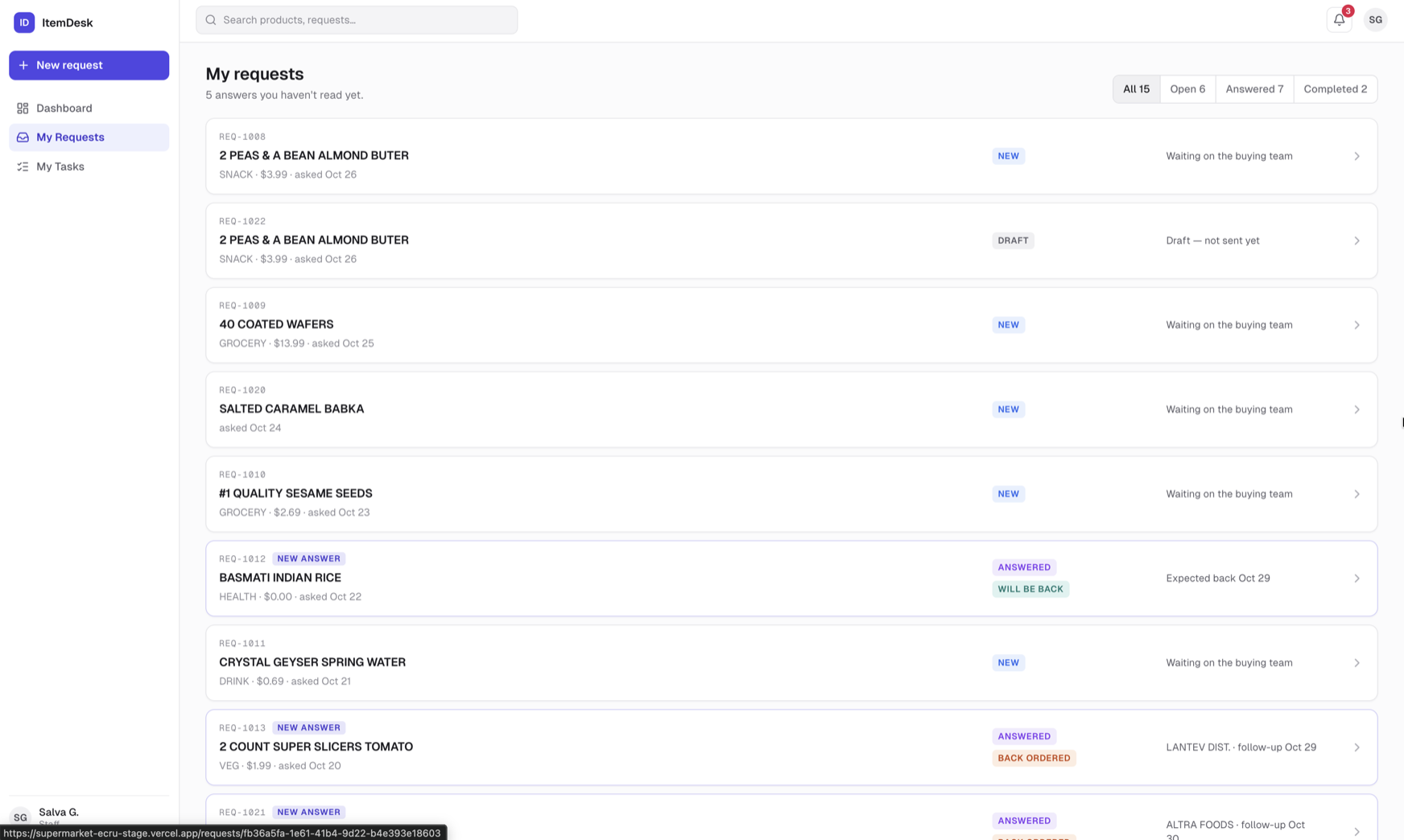
Reading the list
Each card shows the product, its category and price, when you asked, and a one-line summary of where it is: waiting on the buying team, expected back on a date, back ordered with a follow-up, or no longer provided.
- All / Open / Answered / Completed — filter the list by where the request is
- NEW ANSWER — the buyer has answered and you haven't read it yet — open it
- Draft — not sent yet — a draft you saved; open it and click Send to buying team
Opening a request
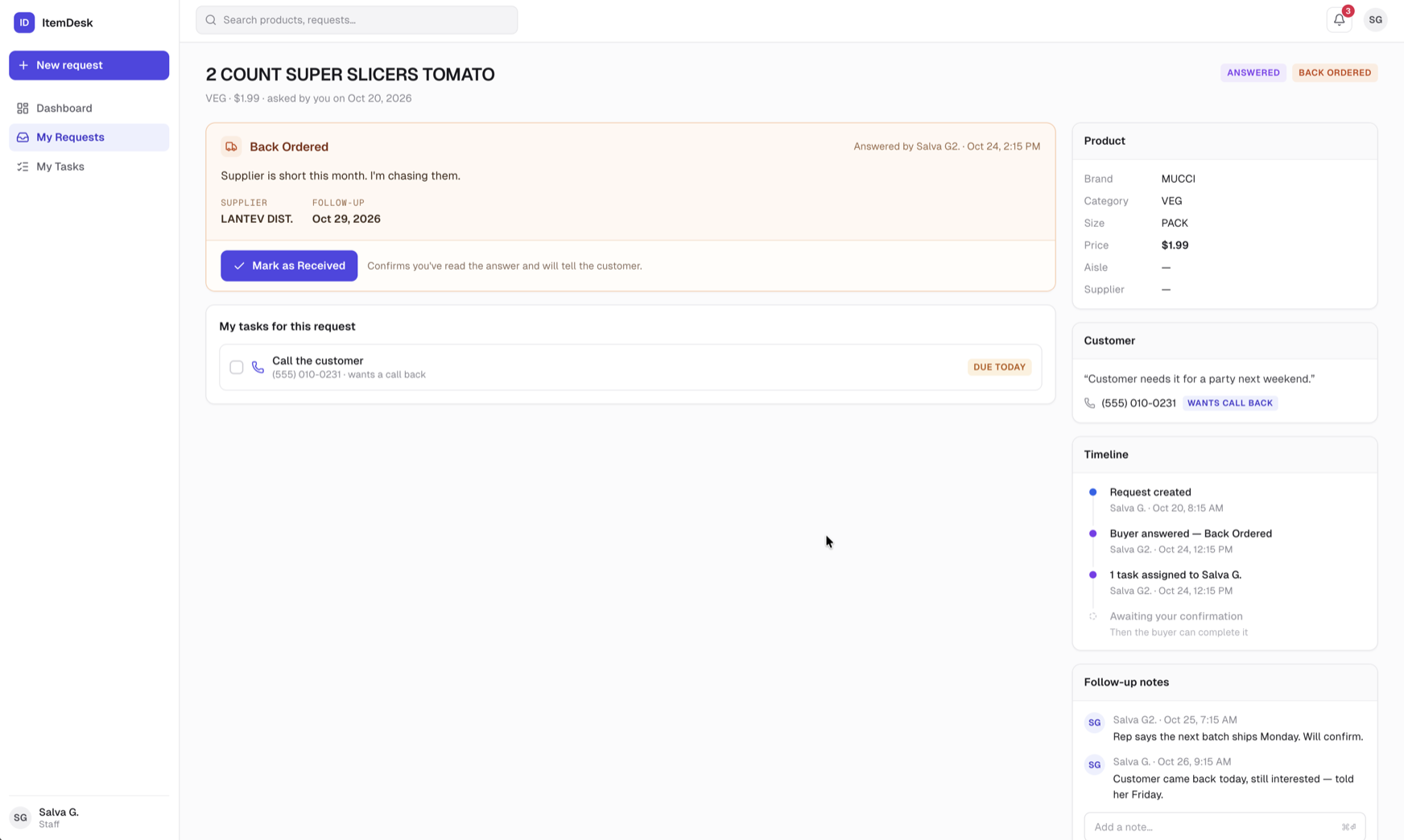
Click a card to open it. You'll see the product, the question you logged, the buyer's answer once there is one, the tasks on the request, a follow-up notes thread, and a timeline of what happened when.
Tip
Follow-up notesis a conversation attached to the request. Use it to ask the buyer something or to leave an update — “customer came back, still interested”.