Managers
Settings
The words the whole team sees for statuses and answers.
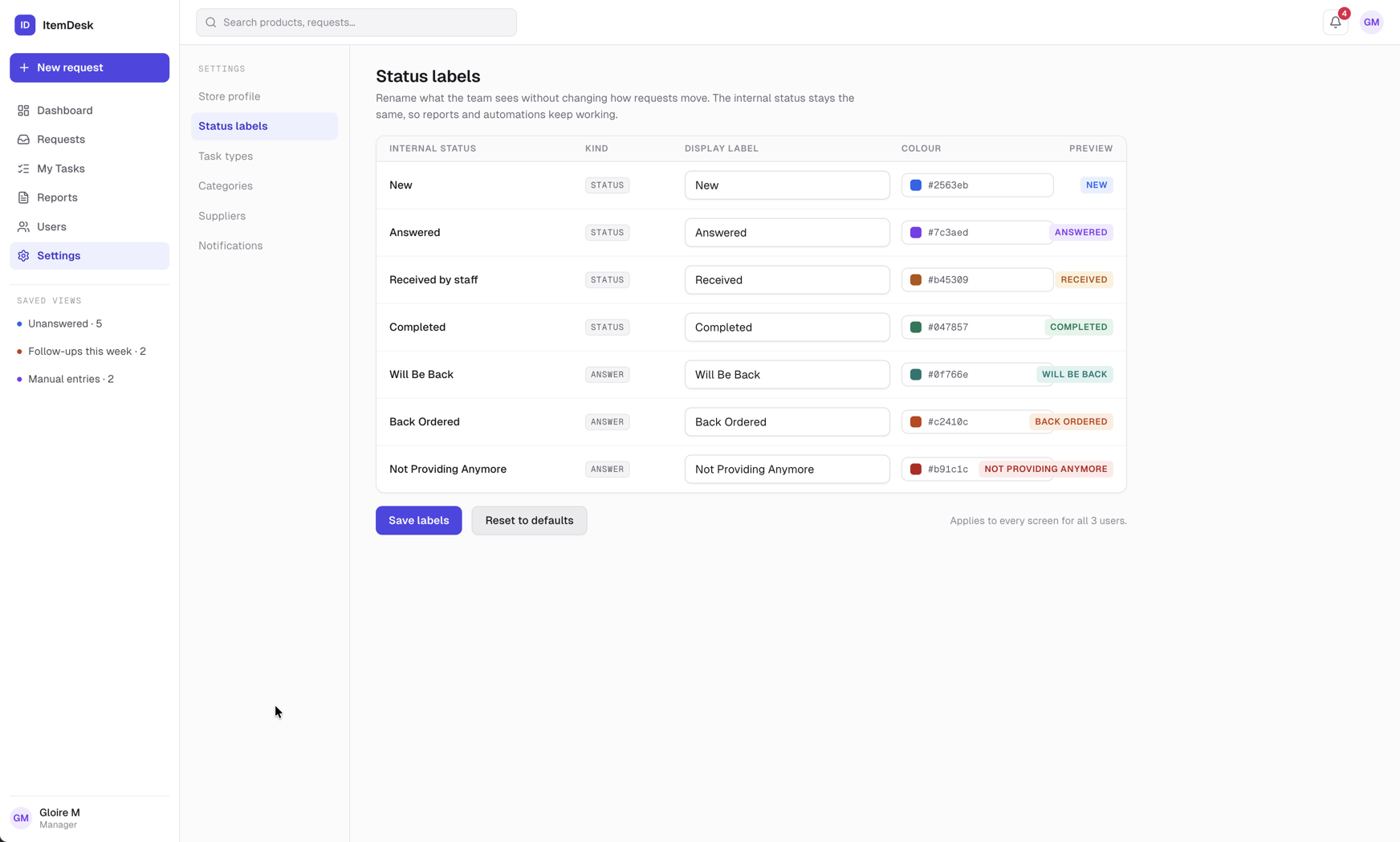
Status labels
Each request status and each kind of answer has an internal name and a display label. Change the display label to match how the store talks — “Awaiting vendor” instead of “Back Ordered”, for example. The preview column shows the result as it will appear everywhere.
- Save labels — applies the change to every screen, notification and export
- Reset to defaults — puts the original wording back
Note
Only the words change. How requests move, and the colour of each status, stay the same.
Coming later
Store profile, task types, categories, suppliers and notification preferences appear greyed out. They are planned and not yet available.