Overview
Dashboard
The first screen after signing in. It is different for the floor and for the buying team, because they don't need the same things.
For staff
A greeting, a one-line summary of what is waiting on you, and four panels:
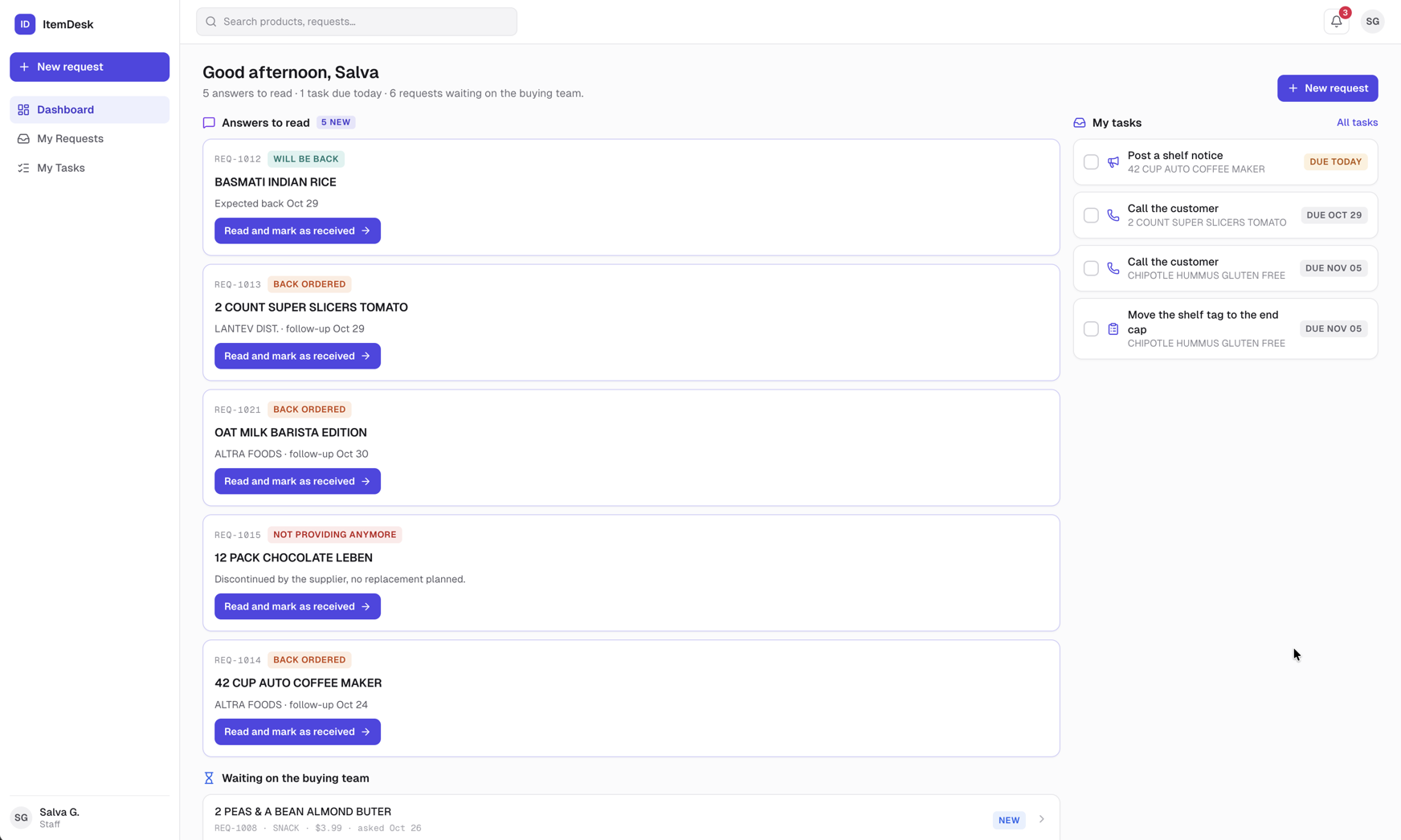
- Answers to read — requests the buying team has answered and you haven't marked as received yet. Each shows the buyer's note and a Read and mark as received button.
- My tasks — your open tasks, each with a checkbox. Tick it to mark the task done without leaving the dashboard.
- Waiting on the buying team — your requests that haven't been answered yet, with how long they've been waiting.
- Recently completed — the last requests of yours that were closed.
Tip
When nothing is waiting on you, the summary says so. That is the goal of every shift.
For buyers and managers
Seven figures across the top, then a chart, the follow-ups coming up, and the supplier report.
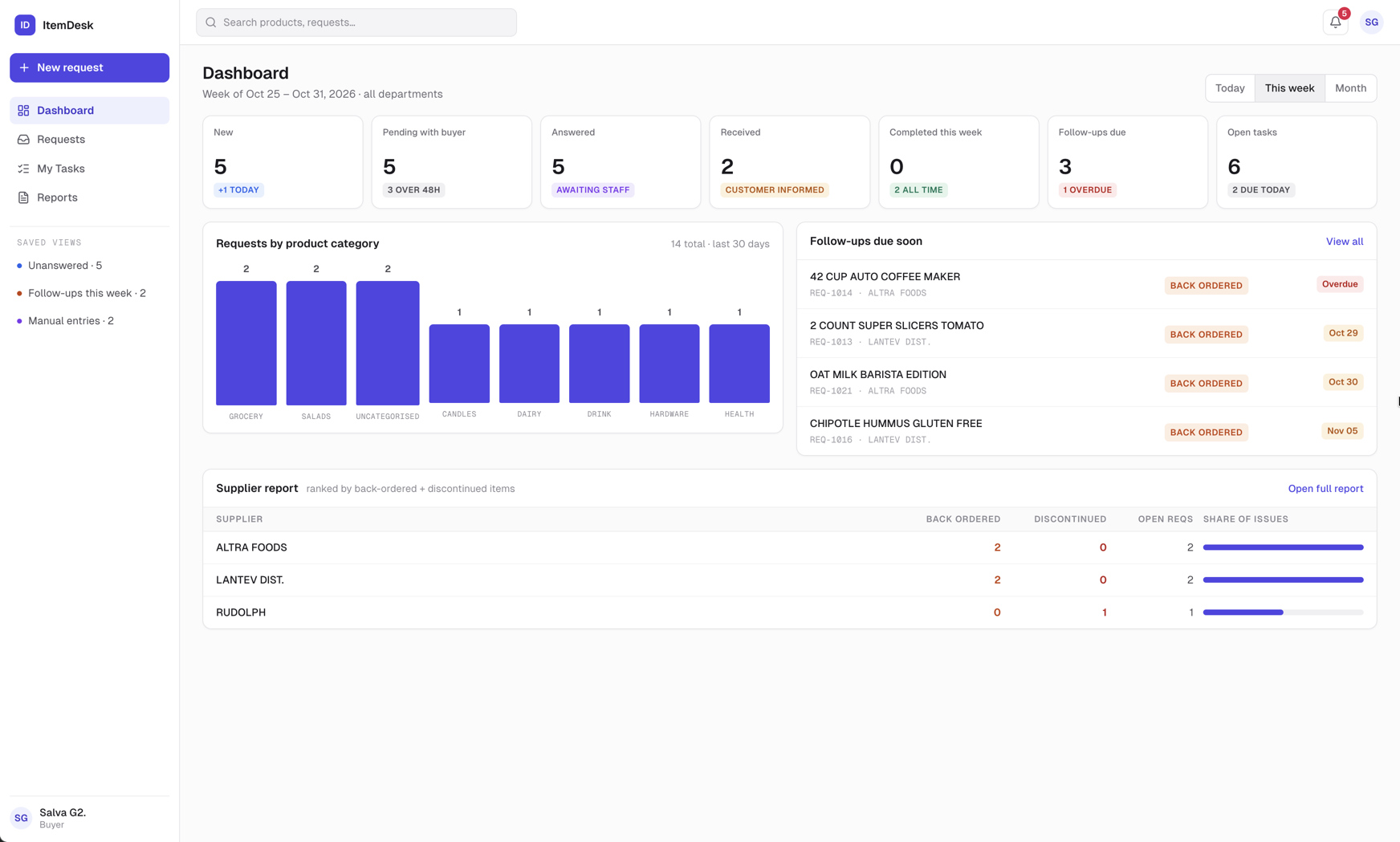
- New / Pending with buyer — requests nobody has answered yet, and how many have been waiting more than 48 hours
- Answered — answered, waiting for the staff member to mark them received
- Received — received by staff, customer informed
- Completed — closed in the selected period, with the all-time total underneath
- Follow-ups due — back-order follow-ups due within seven days, and how many are overdue
- Open tasks — tasks still open across the team, and how many are due today
Today, This week and Month change the period of the Completed figure. The week starts on Sunday.
- Requests by product category — the eight busiest categories over the last 30 days
- Follow-ups due soon — the five nearest back-order follow-ups, flagged Overdue or Today
- Supplier report — the five suppliers causing the most trouble; Open full report goes to Reports